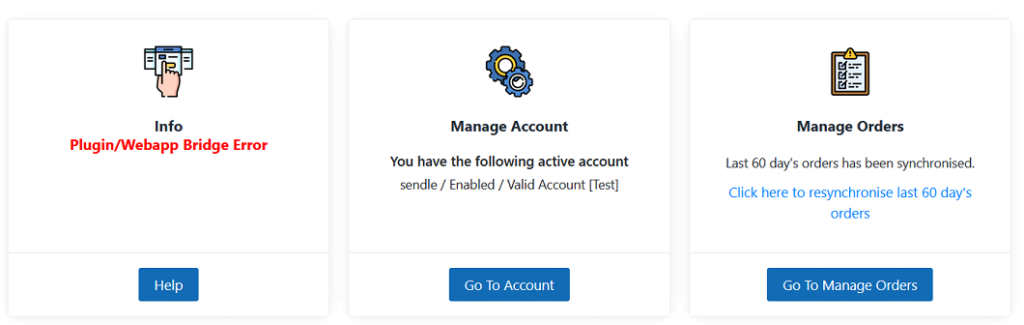
For synchronizing Orders between Joovii WP Sendle Plugin and Joovii Sendle WebAPP, it is required that your WordPress server is open to handle external request. If the WebAPP finds it difficult to communicate, you may see a highlighted message “Plugin/Webapp Bridge Error” appearing on your Home Page like this ..
You will also see similar message within the Plugin’s settings page as shown below.
There are couple of ways that single order or multiple orders in your Woocommerce Store are synchronized with WebAPP.
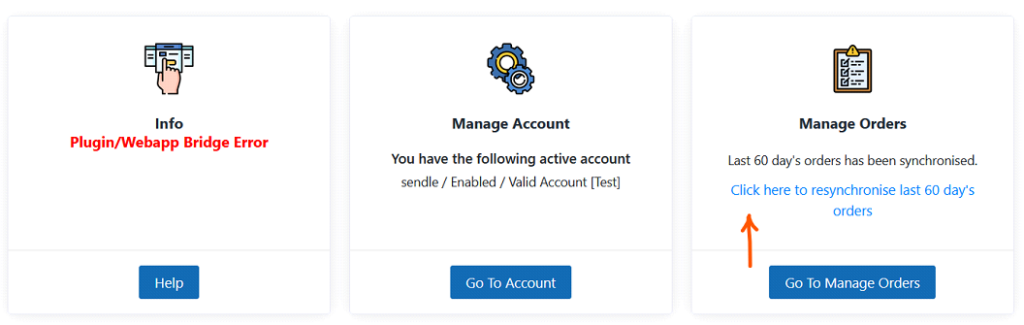
⦁ You can import all orders from WooCommerce store from inside your WebApp. Goto Home Page in your webAPP. Now click on “Click Here to reSynchronize” as shown in the Image below.
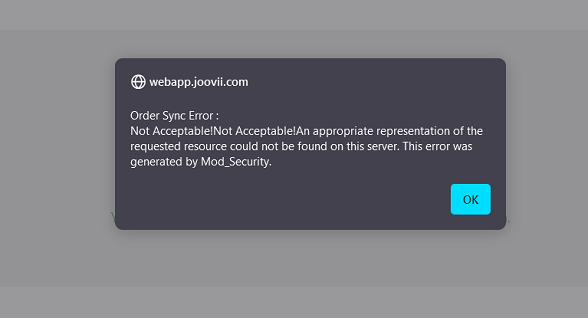
If there is any problem in the communication between Joovii WP Sendle Plugin and Joovii Sendle WebAPP ( as discussed in the beginning of this article ), you may get an popup message to know about this problem.
Such errors prevent Order synchronization between Joovii WP Sendle Plugin and Joovii Sendle WebAPP.
⦁ We have a third option to export bulk orders from WooCommerce Store to WebAPP.
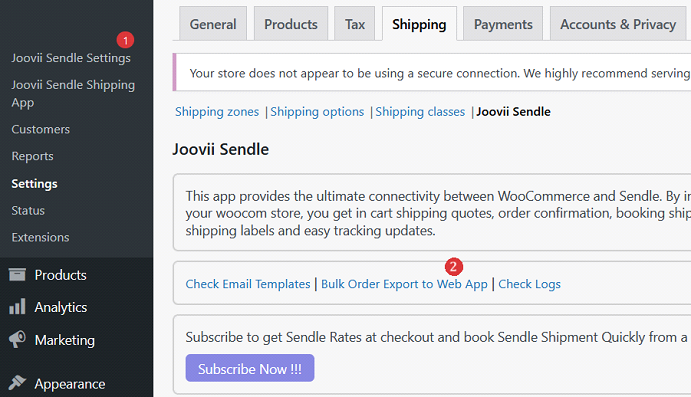
⦁ Click on “Joovii Sendle Settings” on your left panel.
⦁ In the right Panel, click on “Bulk Order Export to Web App” link
On the next page, you need to click on “Start Export” button to start the Export.
Joovii Shipping Replaces Sendle
Receive up to 50% off Courier rates when booking with Joovii Shipping.
Joovii has negotiated amazing discounted rates with the major carriers and made them available to all merchants regardless of spend. There’s no need to sign up for any account, or add API keys, just switch on Joovii Shipping to see the quotes and start shipping.
To see the new prices:Go to Settings > Accounts ->
Turn on Joovii Shipping ->
View an Order and Quote ->
Book a Shipment